

Why I wrote this soldering primer
I wrote this guide to help beginners gain CONFIDENT, safe, and neat solder joints; surprising fact: a single bad joint once stopped a train—I’ll teach clear steps you can trust.
What I recommend you have

Step 1: Prepare Your Workspace and Tools
Want perfect joints? My setup makes the difference — I eliminate distractions and hazards before I touch solder.Prepare my bench — I clean the surface, set bright task lighting, and position a fan or open a window for ventilation.
Secure the iron — I place it in its stand and wet the sponge so the tip stays clean.
Inspect the tip — I remove oxidation and choose the right solder and flux (for example, 0.6 mm 60/40 rosin?core for general electronics).
Clamp the work — I use helping hands or a small vise and trim leads with flush cutters.
Wear safety gear — I put on safety glasses, remove flammable clutter, and keep spare tips and a damp cloth within reach.
Step 2: Tin the Tip and Master Heating
Tinning first? It's the single trick that makes solder flow like magic — I swear it saves time and messy joints.Tin the iron tip before every session — I coat it thinly to improve heat transfer and prevent oxidation.
Heat the joint, not the solder — I touch the solder to the heated parts and let it flow; avoid melting solder on the tip alone.
Keep contact for one to two seconds on small joints — I avoid prolonged heating that can lift pads or damage components.
Adjust temperature for board size and heavier wires (for example, ~320°C for small PCBs, 350–400°C for thick wires).

Step 3: Make the Joint — Technique and Common Patterns
Want strong joints that last? I follow a rhythm: heat, feed, cool — the same choreography pros use.Heat both mating metal parts; I apply solder to the joint rather than the iron, then remove solder and iron and let the joint cool undisturbed.
Feed solder at the lead for through-hole; for SMD, tack one pad, align the part, then solder remaining pads.
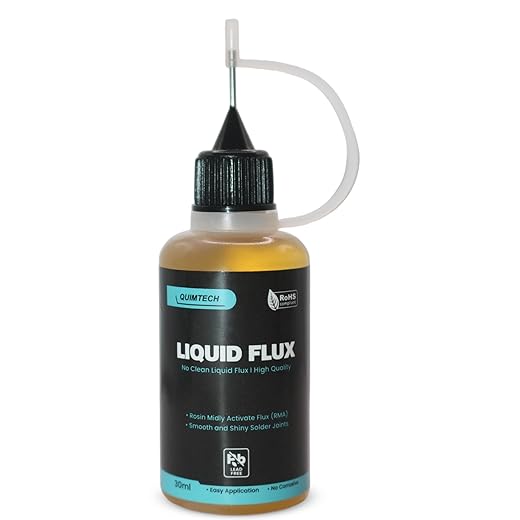
Use flux liberally to improve flow — I avoid cold joints by ensuring shiny, concave fillets.
Clean excess flux or use braid to remove solder bridges.
Inspect with magnification to confirm wetting and strength.

Step 4: Troubleshoot, Clean Up, and Practice Safety
Made a mess or a dud joint? I show quick fixes, safety steps, and practice drills that cut mistakes in half.Reheat dull or cracked joints; I add flux and fresh solder, then remove heat and let the joint cool undisturbed.
Remove bridges with solder wick or a braid-assisted solder pump — e.g., lay the braid, heat, and lift.
Verify connections with a multimeter for continuity and to check for shorts.
Clean flux residue with isopropyl alcohol and a brush when needed.
Ready to practice
I feel ready to solder confidently; practice and safety turned basic skills into reliable outcomes — what will I build?
Really loved the safety section — underrated stuff like keeping a small fire extinguisher nearby and wearing goggles is so important. ?
Also, small nit: could you add recommended solder diameter (like 0.5mm vs 0.7mm) for different tasks? I used 1mm once and it was way too chunky for PCB pads.
Thanks for the practical tone and the troubleshooting checklist — I wish I had read that before my first smoked resistor.
Yes, lead-free typically runs hotter (around 330–360°C) vs leaded around 300–320°C. I’ll clarify safe temperature ranges in the Step 2 text.
If you’re using a cheap iron, be careful with higher temps — some cheaper tips degrade faster with lead-free. Good to check compatibility.
Totally agree on the goggles. Also a small pump-style solder sucker is a lifesaver for desoldering — cheaper than you think.
Great suggestion, Nadia. I’ll add a short table with solder diameters and typical uses (0.3–0.5mm for SMD, 0.5–0.8mm for general PCB work, 1.0mm+ for wires/terminals). Sorry about the resistor mishap — been there ?
Thanks! I’ll look into 0.5mm solder and a pump. Does lead-free solder require different tip temps?
Great breakdown of joint types in Step 3. The diagrams for through-hole vs surface-mount patterns were helpful.
Question: do you have tips specifically for tiny SMD pads? My hands shake and I end up bridging pads even with flux. Any practice exercises recommended besides those cheap practice boards?
For tiny SMD work, use a fine-tip iron, flux paste, and consider a solder wick to remove bridges. Also try hot-air reflow for tiny chips if you can access it. Practice suggestion: glue down a strip of solder bridges on a cheap PCB and practice removing them with wick — builds confidence and dexterity.
Tweezers and a third-hand with magnification helped me a lot. And don’t forget to breathe ? small steady movements beat force.
Nice primer overall, concise and approachable. One thing I found missing: a quick parts list with product examples (iron model, solder type, flux). The “Prepare Your Workspace” section is great, but for absolute beginners a shopping list would remove a lot of friction.
Otherwise, the troubleshooting section saved me from scrapping a board last week — cheers.
Good point, Marcus. I intentionally kept the main article tool-agnostic, but I’ll add a short recommended-kit sidebar with model suggestions and links for common, budget, and pro tiers. Any specific items you think are must-included?
Budget pick: a 25–60W iron with temperature control and a small sponge. For solder, 60/40 rosin-core is forgiving for practice. Avoid that funky cheap no-name flux paste imo.
Short and sweet — the “Troubleshoot, Clean Up” part is gold. Saved me from making a Frankenstein board.
Quick Q: any recommended temp for an iron when using lead-free solder for hobby work? My bench iron has a dial but no numbers.
If your iron has no numbers, try starting medium-high and testing on a scrap pad: aim for a temp that wets the joint within ~2 seconds without burning the flux. For lead-free, 340–360°C is common; if you see smoke or burnt flux immediately, lower it a bit.
One more tip: keep the tip clean and tinned — a dirty tip often feels like ‘not hot enough’ because of poor heat transfer. Happy soldering!
If the dial’s mystery, practice on a scrap board and time the heat-up. Also use fresh flux — it helps a lot at lower temps.
This guide was exactly what I needed — super clear and friendly tone. I liked the “Prepare Your Workspace” section because it reminded me to get a proper mat and good lighting before I started.
I do wish there were more close-up photos for the tinning step though (Step 2). The description is solid, but when you’re learning visually it helps to see the exact angle and amount of solder. Also, great reminder about safety and ventilation — I literally opened all the windows ?
Thanks for writing it! Going to practice the cross joint pattern tonight.
If you have a phone tripod, recording yourself is a lifesaver. You can see what you’re actually doing vs what you think you’re doing ?
Totally agree on the photos. I ended up slowing a YouTube clip at 0.25x speed to get the angles. But good on you for opening windows — fumes are no joke.
Thanks, Olivia — glad it helped! You’re right about photos: I plan to add a gallery with close-ups of the tinning and joint angles in the next update. In the meantime, try to shoot from a slightly elevated angle so you can see the wetting line of solder on both parts.
Haha, loved the part about “master heating” — felt very dramatic like a cooking show. ?
I have a dumb question: when you say “tin the tip,” do you mean coat the tip before every session or just when it’s starting to oxidize? I once tried skipping it and ended up with a dull tip and cold joints. oops.
Also avoid sanding the tip unless it’s a last resort — you can remove plating. Use tip tinner/cleaner instead.
Thanks! Good to know the sanding is a no-no ?. Buying a brass sponge tonight.
Short answer: tin the tip every session and also keep a small amount of fresh solder on it while working. That protects against oxidation and helps heat transfer. If the tip looks black or crusty, clean and re-tin it — sometimes fresh tip cleaner or a brass sponge helps.
Brass sponge + tinner should keep the tip happy. And if you want, check the Step 2 update later — I’ll add a tiny video clip showing the tinning routine.