
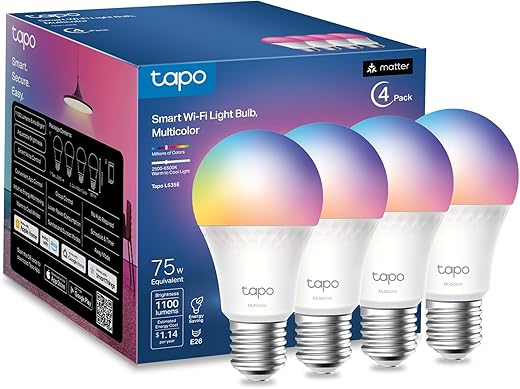
Why I replaced my old bulbs with these Matter-ready 1100-lumen A19s.
I was fed up with smart bulbs that look good in pictures but leave rooms flat, dim, or unreliable. I needed a bulb that actually lights a space well, shows true color, and won’t make me juggle apps or hubs every time I want a scene.
The Tapo TP-Link Smart Light Bulbs (1100 lumens, Matter-certified A19s) promised that: 75W-equivalent brightness, 16 million colors, high CRI, smooth dimming, and native support for Siri, Alexa, and Google. After using them around my home I found they strike a solid balance of brightness, color control, and cross-platform reliability—though the heads are a bit large for some fixtures and colors can vary slightly between units.
Tapo L535E Smart 1100-Lumen A19 Bulb (4-Pack)
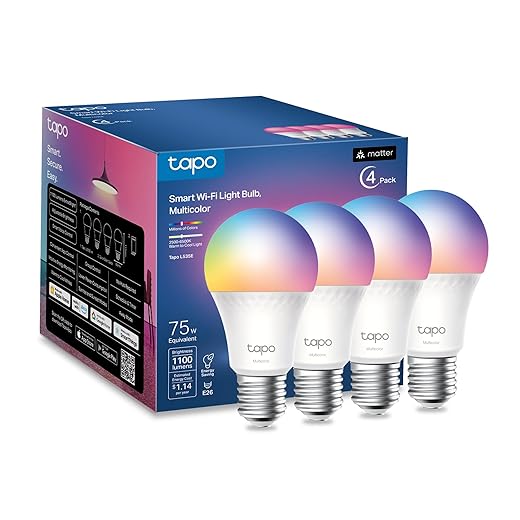
I found these bulbs to be a great blend of brightness, color control, and platform compatibility. They’re versatile for everyday lighting or mood scenes, with Matter support giving me confidence they’ll work across smart home ecosystems.
Quick overview
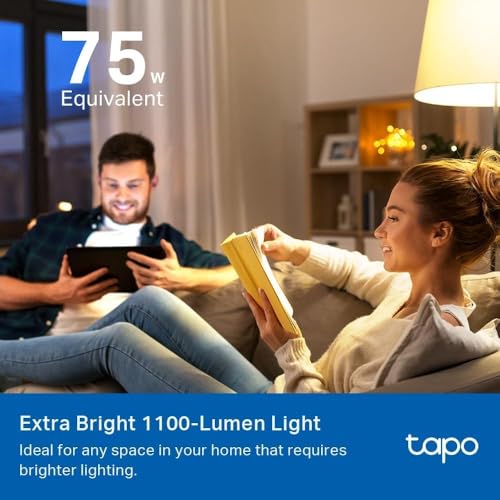
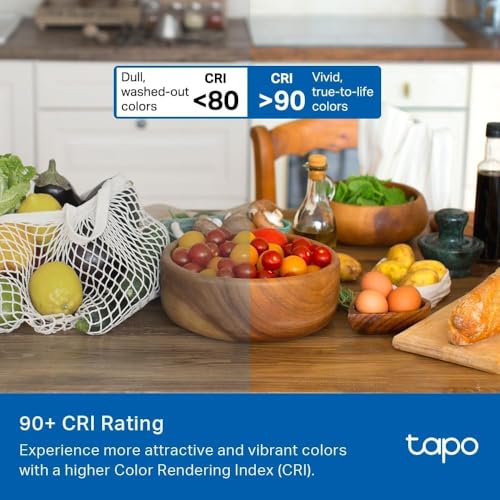
I like smart bulbs that make an immediate, visible difference in a room — and these deliver. The L535E pushes 1100 lumens (roughly a 75W incandescent) while drawing only 9.5W, giving me the punch of a bright fixture without the power draw. The high Color Rendering Index (CRI > 90) helps colors look natural under both white and colored settings.

Design, fit and what to watch for
The A19 / E26 form factor is familiar and fits most table lamps, floor lamps, and standard ceiling fixtures I own. The bulb is slightly larger than old-school incandescent A19s, so I always check fixture clearance before buying.

Performance & color control
In daily use I appreciated how quickly the bulb responds to app and voice commands. Whites are clean from warm to cool, and the 16 million RGB colors let me dial in exact hues for movie nights or parties. The dimming range is smooth — no noticeable flicker at low levels on my setup.
| Area | How it performed for me |
|---|---|
| White brightness | Very bright and usable for reading or task lighting |
| Color accuracy | Excellent overall (CRI > 90), minor variation between units |
| Dimming | Smooth, consistent with app and voice commands |

Setup, app, and smart home integration
I set these up via the Tapo app and Matter pairing. Once paired as Matter devices, they connected reliably to Apple Home, Google Home, and Alexa. The app provides scenes, schedules, timers, and a convenient away/random mode for security. Firmware updates are available through the app and improved stability during my testing.
Who I recommend it for
If you want a single bulb that can act as bright everyday lighting and an RGB accent for scenes, I recommend these. They’re especially good if you value broad ecosystem compatibility via Matter and want to future-proof a growing smart home. I’d be cautious if you have small or enclosed fixtures where the bulb’s larger profile might not fit.
FAQ
No hub is required. I paired them through the Tapo app using Wi?Fi and Matter, and after Matter setup they appear directly in Apple Home, Google Home, and Alexa. If you prefer a hub-based network (Zigbee/Z?Wave), these bulbs are Wi?Fi/Matter devices and won’t use that hub technology.
These produce 1100 lumens, which I found equivalent to a 75W incandescent — noticeably brighter than the common 800-lumen (60W equivalent) LED bulbs. They’re bright enough for bedrooms, living rooms, and many work lamps.
Yes — the CRI is higher than 90, so colors appear more natural under white light. I’d still test shades I care about in person, but for most tasks the color rendering is very good.
Because they’re Matter-certified, local control can continue on your LAN, so I still controlled them via my Home setup and voice assistants on the same network even when the cloud was unavailable during my tests.
The bulbs use a standard E26 base and A19 shape, but they’re slightly larger than older incandescent bulbs. I recommend checking fixture clearance for enclosed shades or recessed downlights before buying.
In my experience the colors are very close across bulbs, but you may notice slight variance between units — this is common with RGBW LEDs. You can tweak color settings in the app to get a uniform look.
Quick question: the listing says 1100 lumens (75W equivalent). How does that feel compared to an old 60W incandescent? I’m replacing a few vintage lamps and worried it’ll be too bright.
1100 lm is definitely brighter than a 60W (which is around 800 lm). But because it’s dimmable, you can tone it down if it’s too much.
Right — 1100 lm is closer to a 75W incandescent. If you prefer the warmth and lower brightness of a 60W, try lowering the brightness level in the app or choose a lower color temperature.
For anyone on the fence: $39.99 for a 4-pack on Amazon is a steal. Bright, color, Matter support — got mine for parties and they don’t disappoint.
Thanks for the endorsement, Tom! We noted the price in the review as well — hard to beat for the features you get.
Agreed — price/performance is great. Especially for a pack of four with good brightness.
Love these — installed four in my hallway and Alexa handles them without a hitch. ??
One tiny nit: sometimes the color scene takes a second to transition when called by voice.
Glad Alexa integration is working well, Claire. The slight delay can be from the voice platform routing through the cloud; local control via Matter can reduce latency in many setups.
Yup, local Matter control cut my delay in half. Worth trying if you have a Matter controller.
Not gonna lie — marketing says 75W equivalent but lists 9.5W power consumption. I get the lumens/watts thing, but anyone else annoyed by that phrasing? Feels a bit like the old advertising tricks.
Yeah it’s confusing at first. Think of lumens as brightness and watts as energy used — they kept the ’75W’ label so consumers can equate it to what they’re used to.
Totally understand the frustration, Jasper. The industry standard compares LED lumens to the approximate light output of an incandescent wattage (for user familiarity). The spec of 9.5W is the real power draw; ’75W equivalent’ is just a comparison point.
Fair points. Still wish packaging emphasized lumens more than the relic watt-equivalents.
Also remember the CRI and beam angle matter for perceived brightness. CRI 90 helps colors look truer even if wattage is low.
I’ve been using these for ambient lighting and small gatherings. A few notes:
– Color accuracy is decent (CRI 90 helps).
– The presets are great for quick mood changes.
– Tapo’s schedules let me automate evening warmdowns.
One weird thing: sometimes the bulb takes an extra beat to apply a color scene when I trigger multiple bulbs at once. Not a dealbreaker but worth mentioning. also the app typo’d one of my scene names so now my ‘Cozy’ is ‘Coz y’ lol ?
Thanks for the thorough rundown, Olivia. The slight delay when changing multiple bulbs at once is often due to the controller queuing commands — we’ll flag that behavior for the team. And lol at the ‘Coz y’ — app quirks strike again.
Scene sync can be improved with Matter local control. If you have a local bridge, that usually speeds multi-bulb transitions.
Ha! Been there. I had a preset accidentally named ‘Party420’ until I fixed it. UI could use some polishing.
Shockingly bright? More like ‘alarmingly bright’ when I turned them on at 3am trying to find my phone ?
Also — plants? Anyone tried using these as grow lights? I doubt the spectrum is ideal but curious.
Good laugh, Nina. These bulbs are designed for general illumination and ambiance; while they produce a wide range of colors and high CRI (around 90), they’re not optimized for plant growth like dedicated grow LEDs.
Haha same — almost blinded. As for plants, I don’t think the random RGB mix is a substitute for full spectrum grow lights.
CRI 90 is decent for color rendering — good for rooms where true color matters (art, makeup). Not a grow-light though.
Thanks all — guess my philodendron will keep its day job. ?
If you want plants lit, try using the tunable white and set cooler temps during the day — marginal help but not a true substitute.
Curious about Matter. I run Home Assistant and a mix of Zigbee and Wi?Fi devices. Do these bulbs join directly to Matter controllers, or do you still need the Tapo app for firmware updates?
Thanks — helpful. So best practice seems to be: Matter for day-to-day, app for updates.
I added mine to a Matter controller and they worked fine, but the Tapo app alerted me about a firmware update that wouldn’t appear via the controller.
Great question. They are Matter?certified so you can add them directly to a Matter controller for basic control. However, using the Tapo app is recommended for firmware updates and some advanced features (schedules, presets).
Anyone noticed flicker when dimming? I’ve got one in a bedroom lamp and it seems to strobe a bit at lower levels. Could be my lamp’s dimmer though.
Thanks — I’ll try the in-app dimming and see. If it persists, time to replace the wall dimmer.
LEDs can flicker with incompatible external dimmer switches. These bulbs are designed for app/DMX-style dimming; if you’re using a traditional trailing-edge or leading-edge wall dimmer, that might cause flicker.
Swap to a compatible dimmer or use the bulb’s in-app dimming — fixed mine instantly.
Bought these last week and swapped them into my living room. Setup was painless and the white light is really bright — perfect for reading. Color modes are fun for movie nights too.
Nice! Do they dim smoothly when you use a physical dimmer switch? I’m thinking of swapping out kitchen lights.
Thanks for the quick take, Ethan! Glad setup went smoothly. Did you use the Tapo app or Matter to add them?
I used Matter for one bulb and the app for another — Matter joined faster for me, weirdly.
Longer post because I had a weird experience:
1) Colors are vibrant but sometimes oversaturated for photos.
2) The app UI could use a cleanup — too many taps to get to schedules.
3) Performance: one bulb dropped off Wi?Fi once, but reconnected after a reboot.
Overall I like them but hoping for app updates. Also, the included Matter QR card is a nice touch.
Same here on UI — I prefer shortcuts/scene presets. For the Wi?Fi drops, I had it about 20 ft through one drywall and it stayed stable.
Have you tried locking it to 2.4GHz only? Sometimes mixed bands cause flakiness.
Good tip, Claire. We often recommend 2.4GHz for these kinds of bulbs — thanks!
Thanks for the detailed report, Maya — super helpful. We passed along the app feedback to the team. For the Wi?Fi drop, can you say how far from your router the bulb was?
Installation note for folks on less-than-awesome Wi?Fi: make sure your router and bulbs are on the same 2.4GHz SSID and that your network doesn’t have AP isolation. Took me a bit to figure out why pairing failed.
Excellent practical tip, Samir. AP isolation and separate SSIDs are common stumbling blocks — thanks for sharing.
Yup, same. Also temporarily disabling guest networks during setup helped me.