
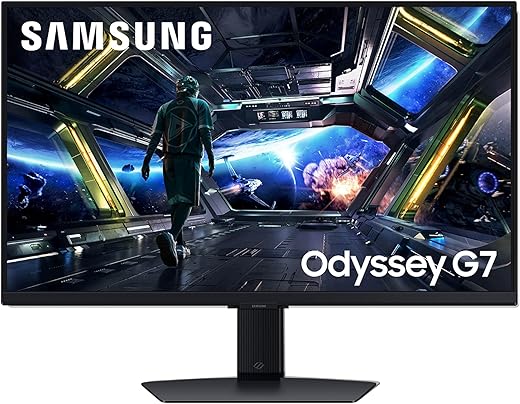
I test whether the Odyssey G7’s curve and raw speed actually beat the 27GL850’s color accuracy—prepare to be surprised.
Curious which wins? I compare Samsung’s 32” Odyssey G7 and LG’s 27” UltraGear 27GL850 to help you decide, balancing resolution, speed, color accuracy, and price. I tested specs, gameplay, and ergonomics to give a clear recommendation for both casual gamers.
High Resolution
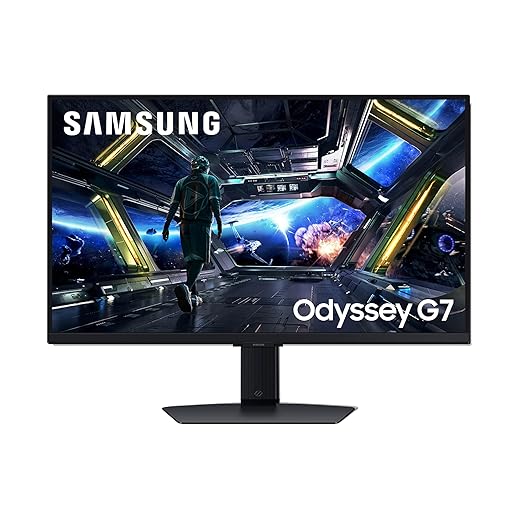
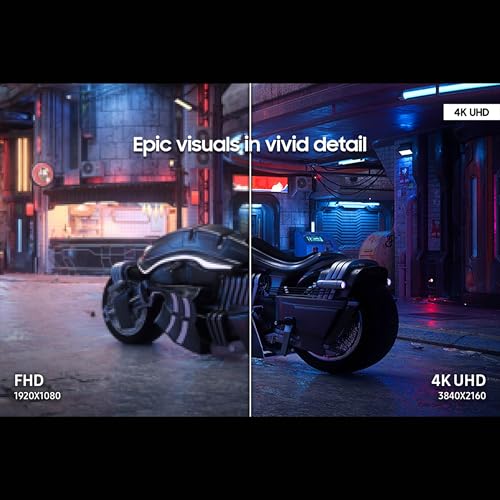
I like the combination of true 4K detail and high refresh rate for immersive gaming and media use. I also value the smart features and AI upscaling, but I remain cautious because the setup/UI can be intrusive and there are concerning reliability reports from some users.
Competitive Ready

I appreciate how well this monitor balances color fidelity and speed for competitive gaming and content work. It delivers dependable performance and ergonomic flexibility, though it won’t provide the extra pixel density of a 4K panel.
Samsung G7 32
LG UltraGear 27
Samsung G7 32
LG UltraGear 27
Samsung G7 32
LG UltraGear 27
Performance & Image Quality: Resolution, Speed, and Color
I start by comparing core technical specs and what they mean in real use.
Resolution & Pixel Density
The Samsung is a 32″ 4K (3840×2160) panel; the LG is a 27″ QHD (2560×1440) Nano IPS. Measured pixel density:
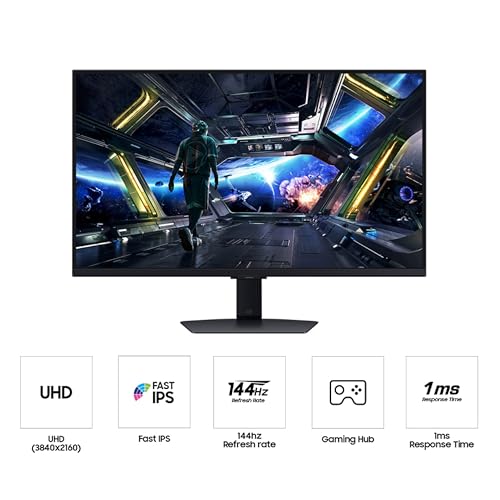
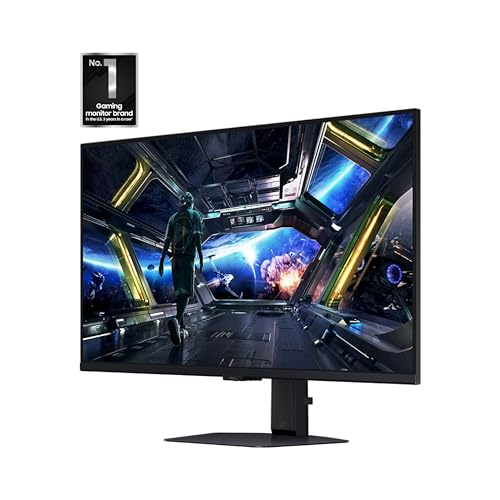
The Samsung gives more screen space and detail at native resolution; the LG hits a sweet spot where high frame rates are easier to achieve with mid-range GPUs.
Speed & Motion
Both claim 144Hz and 1ms (GtG) with G-Sync compatibility; in practice I found:
Color, HDR & Calibration
LG’s Nano IPS delivers more reliable out-of-box accuracy (sRGB ~98–99%), making it preferable for color work and consistent gaming color. Samsung’s 4K Fast IPS is vivid and benefits from AI upscaling and DisplayHDR 400, but HDR peak brightness and local dimming are modest compared with higher-tier HDR displays.


Feature Comparison Chart
Design, Features, and Value: Ergonomics, Ports, and Who Should Buy Which
Build & Ergonomics
I find both monitors solidly built. The Samsung 32″ feels heftier and more premium on the desk, with a wide range of tilt, swivel and height adjustments that make long sessions comfortable.
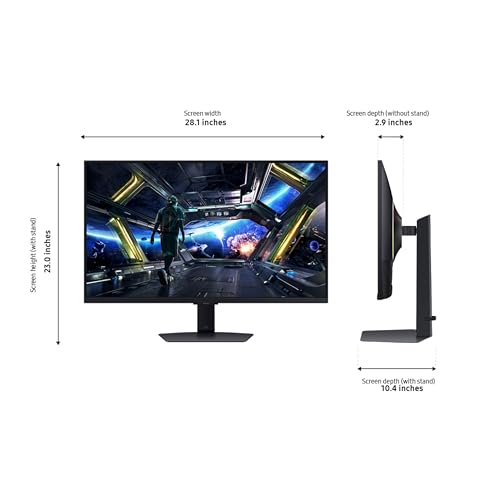
The LG 27″ is lighter but very well balanced: tilt, height and pivot are all present and the smaller footprint is easier on compact desks. Its stand is my pick for competitive setups where desk real estate matters.


Ports & Included Extras
I appreciate that both include a USB 3.0 hub (2 ports) plus DisplayPort and HDMI inputs; that covers consoles, PC and peripherals without juggling adapters. Samsung adds smart features like Gaming Hub and AI upscaling; LG stays focused on pure monitor tools.
Software, HDR & Audio
I use Samsung’s Dynamic Black Equalizer and Game Bar for instant visibility tweaks and HUD overlays — they’re handy but can feel intrusive if you want a clean workflow. LG’s on-screen controls (Black Stabilizer, Crosshair, Dynamic Action Sync) are leaner and faster to access. Neither monitor replaces a quality speaker; built-in audio is basic.
Value & Who Should Buy Which
Final Verdict
I choose the LG UltraGear 27GL850 as the overall winner for its superb color accuracy, responsiveness, and value.
Choose Samsung for immersive 32? 4K gaming; choose LG for color-critical work and fast competitive play—budget-conscious buyers should favor LG overall today.
Thinking of using one of these for both PC and PS5.
Quick questions:
– Does the LG 27GL850 support 120Hz at 4K via PS5? (I know PS5 is weird with monitors)
– Is input lag noticeably different between them when using HDMI?
Also, any tips on cable choice? I’m not a tech nerd ?
You’ll be fine with a decent HDMI 2.0 cable for 4K@60. DP 1.4 for PC at higher refresh. And honestly the PS5 will mostly do 4K60 on these monitors so HDMI 2.1 only matters if you want full 4K@120 (and monitor support).
PS5 doesn’t do 4K 120Hz on these — the LG is QHD native, so on PC it’s great at 144Hz. For PS5 you’ll get 4K only on the Samsung (if it accepts 4K/60) but 120Hz is console-limited. Input lag is similar on both over HDMI — both are low-lag. Use a good certified HDMI 2.1 cable for 4K/120 but if you’re sticking to 4K/60 or QHD/144 you can use high-speed HDMI or DisplayPort (DP is preferred for PC).
Short answer: buy the LG if you’re a sweaty ranked player, buy the Samsung if you watch movies and want to feel fancy. ¯_(?)_/¯
Ha! Basically — LG for responsiveness and color, Samsung for screen real estate and immersion. Both are solid depending on priorities.
I bought the G7 mainly for the size and 4K. Pretty happy. Colors pop and the stand is solid. Kept the default picture mode for a week then tweaked it. No regrets.
Long post incoming — I’ve had both on my desk (rotated a few months each) so here are practical notes:
– Input lag: both are excellent. The listed 1ms GtG is marketing but in real gameplay both feel instant. LG is ever so slightly snappier in fast FPS titles though.
– Panel behavior: LG’s Nano IPS has more consistent colors at off-angles, Samsung’s VA/IPS mix (depends on batch) gives deeper perceived contrast.
– 32″ 4K vs 27″ QHD: PPI matters. At 27″ QHD the image is super crisp for competitive play. At 32″ 4K you get extra workspace and immersion for single-player and streaming.
– Features: Samsung’s Black Equalizer is actually useful in dark maps. LG has better factory color out of the box.
– Practical tip: turn off unnecessary image enhancements and use Game mode for lowest latency.
If you want to test: boot a 240Hz/180Hz FPS and compare reaction in a minute — you’ll notice tiny differences but nothing game-breaking.
My vote: LG if you play competitive FPS and value color accuracy; Samsung if you want screen size and cinematic feel.
(Also yes, I may have slight bias toward the LG but only because I play Valorant a lot ?)
@Olivia Yeah the 32″ made multitasking easier — I could keep chat/obs docked and still game. But I had to scale UI and it felt a bit small on menus until I tweaked things.
Appreciate the detail! Which one did you use for streaming? Did the 32″ help with OBS layout?
Also worth noting: firmware updates can sometimes improve input lag or color profiles. Check the manufacturer’s support pages after purchase.
Agree on Black Equalizer — it helped me spot campers in dark corners more often. Not a replacement for real contrast but useful.
Thanks for the hands-on comparison — this is exactly the kind of nuance readers need. The bit about perceived contrast vs. color consistency is important.
Lol @ tiny differences — but for pro play every ms counts. I’d still pick LG for tournaments.
Great write-up — helped me decide between these two.
I’m leaning toward the LG 27GL850 for competitive FPS because the 27″ QHD + Nano IPS feels sharper to my eyes and the colors are lovely.
That said, the Samsung 32″ 4K looks amazing for single-player/open-world games and multitasking.
My concern is Windows scaling at 4K on 32″ — anyone else find UI elements too tiny without scaling?
Also curious about which one performs better with consoles (PS5/Xbox) — thanks! ?
I use a 32″ 4K and I set scaling to 125%. Works well for text, and games look great. But yeah, Photoshop toolbars get a bit cramped until you tweak UI scaling there.
Also note: Samsung’s G7 panel in the G70D is IPS-like (VA in some specs?) and has a different contrast/black level than LG’s Nano IPS. If blacks and contrast matter a lot, factor that into your choice.
Scaling on Windows is a trade-off — at native 4K on 32″ you’ll probably want 125% or 150% scaling for most UIs. Games run fine full-res, but some older apps can look blurry with scaling. For consoles: PS5/Xbox Series X handle 4K well, but if you want 144Hz you’ll be limited to lower resolutions depending on the console.
Great post but both are $$$. Waiting for sales honestly.
Love the 4K 32″ idea but worried about desk space.
Is the Samsung VESA mount friendly? Also, are replacement stands expensive if you want an arm?
Tbh the LG seems more wallet-friendly in longevity (less likely to feel too big for my apartment)
Anyone found any weekend deals recently?
Both are VESA mount compatible (check specific model bracket size but generally 100×100). Aftermarket monitor arms are usually $40–$120 depending on brand and payload. Keep an eye on holiday sales and manufacturer-refurb pages for discounts.
I bought a refurbished G7 for 25% off last month — desk was tight but I wall-mounted it. Make sure your arm supports 32″ and the weight.
If you need help measuring or picking an arm, drop your desk specs and I can suggest models.
LG generally holds resale value well. If desk space is an issue, go 27″ — you’ll thank yourself.
Nice comparison — I’m a photo/video editor, so color accuracy and HDR are big for me.
Couple of thoughts:
1) Nano IPS on the LG is great for wide gamut and accurate colors out of the box.
2) HDR10 on these monitors is mostly HDR “preview” — not the same as full local dimming HDR on TVs.
3) The Samsung’s Black Equalizer is handy for shadow detail in games, but for grading it’s not a replacement for real calibration.
Would love to see measured deltaE numbers if anyone has them.
Thanks — that’s useful. Which one did you use for long editing sessions? Any eye-strain difference?
If you’re doing professional work, also check panel uniformity and maybe buy from a retailer with a good return policy in case of a bad unit.
Totally agree on HDR — it’s mostly punchy highlights, not true cinema-HDR. For color work, the LG tends to be easier to calibrate to low deltaE. Samsung can be calibrated too but check reviews with measurement results.
LG for long sessions — less backlight bleeding and more consistent whites. Samsung felt a bit more ‘contrasty’ which I liked for watching but not for color-critical work.
I measured both and got better deltaE on the LG after a quick ICC profile. Samsung needed more tweaking but can get close. YMMV depending on unit.