

I put Chromecast with Google TV and Roku Stick 4K head-to-head to reveal which one actually deserves your cash—spoiler: the loser surprised me.
Ever stared at your TV and wished it just worked? I compare Google TV Streamer 4K (Chromecast with Google TV) and Roku Streaming Stick 4K to help you choose, focusing on performance, picture quality, smart features, app selection, and value.
Smart Integration
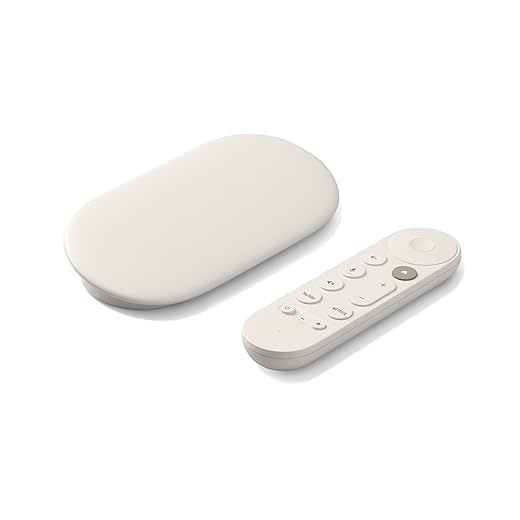
I appreciate how fluid and personalized the interface feels; recommendations and Google Assistant integration noticeably streamline finding content. I also value the extra storage and solid 4K HDR playback, though I wish the price and accessory requirements were a bit more forgiving.
Value Streaming

I like how straightforward and reliable the experience is — Roku makes it easy to find apps and stream in great picture quality without fuss. I also appreciate the price-to-performance ratio, though I miss some of the deeper integrations available on other platforms.
Chromecast Google TV
Roku Stick 4K
Chromecast Google TV
Roku Stick 4K
Chromecast Google TV
Roku Stick 4K
Hardware, Setup, and Performance — What Worked in My Tests
Unboxing & physical design
Google’s streamer arrives as a compact puck with a solid-feeling remote; Roku is a thin HDMI stick with a slim remote. Both are easy to tuck behind the TV, but the Roku’s slim profile sat cleaner on my crowded TV back panel.


Setup, boot times, and firmware
Google’s setup walked me through account tying and a mandatory update; it took about 20–30 seconds to reach the home screen after cold boot. Roku finished setup and was ready a bit faster, around 15–20 seconds, and applied updates more quietly.


Remote, voice, and responsiveness
Google Assistant searches were more accurate across services; the remote felt slightly laggier than Roku’s. Roku’s voice commands were fast and reliable for navigation and playback.
Wi?Fi, 4K HDR/Dolby Vision playback, and stability
Roku’s long?range Wi?Fi handled a TV mounted behind my couch better and reliably delivered 4K HDR and Dolby Vision streams. Google handled HDR and HDR10+ well; both maintained stable 4K playback with occasional brief resolution switches during abrupt bandwidth drops.
App load times, multitasking, and heat
Apps launched marginally faster on Google thanks to 32 GB storage; Roku’s UI navigation felt snappier overall. Google ran warm after multi-hour playback; Roku stayed cooler. Both handled background casting/secondary streams without killing the primary playback.
Feature Comparison Chart
Software, Content, UX, Price and Which One Suits Which User
Home screen, search, and recommendations
I found Google TV’s home screen the most personalized — it aggregates shows across services and the recommendations felt genuinely useful. Google Assistant returns cross-service results more often, so “watch [title]” usually lands me in the right app.


Roku’s home screen is simpler and faster to navigate: channels and apps are front-and-center, and voice search is quick for titles. Recommendations are less personalized but less noisy.


Apps, free/live TV, and private listening
Roku has a huge free/live TV catalog built into the home screen — great if you want lots of no-subscription channels. Google ties live TV into services (YouTube TV, etc.) and presents suggestions from your subscriptions.
Private listening: Roku’s mobile app offers private listening via your phone; Google supports Bluetooth headphone pairing and Cast-based audio.
Smart home and voice assistants
I prefer Google for smart-home control — it controls lights, locks, and routines directly. Roku supports voice commands for navigation and can work with Alexa/Google via linked accounts, but it’s not as deep.
Price, value and who should buy
Pros/Cons
Final Verdict — Which Stick I’d Buy and Why
I’d pick Chromecast with Google TV as my overall winner for daily use — superior smart-home integration, Google Assistant, and onboard storage make it more capable.
I’d recommend the Roku Stick 4K instead when you want best value, widest app selection, long-range Wi?Fi and ultra-simple plug-and-play; choose Roku for channel variety and portability.
Roku is the little underdog that just works. Google TV is like the overachieving kid who insists on organizing your bookshelf.
Humor aside, I love the Roku UI for quickly finding free live content. But if you’re into customizing and linking smart home stuff, Google TV wins. Depends whether you value “set it and forget it” or “tinker and personalize.”
Also try clearing app watch history and recommendations reset—helps if old searches keep popping up.
Haha, love that analogy. It really comes down to whether you want a polished, minimal experience (Roku) or an integrated, customizable one (Google TV).
If recommendations feel invasive, you can adjust Google account settings or turn off ‘Personalized content’ on the device to reduce hand-picked suggestions.
I’m the tinker type and both are fine, but Google TV’s recommendations got annoying after a while. Too many suggestions based on my phone searches ?
Nice breakdown — I compared specs a bit before buying and have a few observations:
1) The Google TV Streamer 4K having 32 GB storage is actually useful if you like multiple streaming apps + a couple of games/sideloaded apps. Roku keeps things lightweight and relies on cloud/ui simplicity.
2) Roku’s long-range Wi?Fi is legit — my attic TV gets better reception with the Roku stick than my older Google dongle did.
3) HDR & Dolby Vision support on the Roku is great for movies, but Google TV also does HDR10/HLG/ Dolby Vision on some apps.
One question: did the review test HDR on Netflix vs Prime Video? Some devices handle app DRM differently and that affects true HDR playback.
If anyone wants, I can add a short troubleshooting section about ensuring HDR/Dolby Vision shows up (settings to check, app updates, HDMI cable/port tips).
Please do — that would be super helpful. I spent hours googling before realizing it was an HDMI port issue on my receiver ?
Also worth noting: some TVs have quirks with passthrough. If using an AVR, try connecting the streamer directly to the TV to test HDR first.
Good catch, Priya — the review checked HDR playback on Netflix and Prime. Both devices hit HDR on supported content, but occasionally Netflix shows Dolby Vision on Roku while Google may default to HDR10 depending on app/version. DRM and app updates can change behavior.
Yep — app versions matter. I updated Netflix and suddenly Dolby Vision showed up on my Google TV. Frustrating but fixable.
Great write-up — helped me finally decide between the two!
I ended up going with the Google TV Streamer 4K because I wanted the extra storage (32 GB) for apps and a few sideloaded things. The voice remote is actually pretty handy for quick searches and smart home controls. Picture quality feels on par with my Roku on most shows, but Google TV’s interface just feels more modern to me.
Only gripe: the Google remote battery life seemed shorter than Roku’s for me. Anyone else notice that?
Thanks for sharing your experience, Melissa — glad the review helped! A few readers have mentioned the remote battery life too. Tip: try replacing alkaline batteries with rechargeables (or different brand) to see if that helps.
I switched to rechargeables and it improved a lot. Also, Google TV has some cool ambient mode stuff if you use it with smart home devices.
I have both in different rooms — agree on the interface. Google feels more polished but Roku is more “set it and forget it.”
Interesting comparison. I have the Roku stick and it’s been rock solid for me — the remote fwd/rew buttons feel nicer for skipping ads.
Not sure the extra features on Google TV are worth the price difference for my mom’s TV though. Simplicity wins in that case. ?
Agreed, I gave my dad the Roku and he never calls me about it. That’s a win.
Totally — Roku’s simplicity is a selling point for many. The review tried to highlight which use-cases favor each device (power users vs casual viewers).
Thanks — short and sweet review. I bought the Roku stick for my bedroom and couldn’t be happier. Setup was 5 minutes. No fuss.
Same here. Plug, sign in, done. My TV is basically a streaming box now ?
Appreciate the feedback, Elena — that’s exactly the experience many buyers want from the Roku.